

Last Updated on 10/10/2026
Knowing how to keep cool at work is a year-round skill, not a two-week panic in August.
Modern buildings overheat in March on a bright morning, bake in July, and turn stuffy in November the moment the windows close. Add CO2 build-up in packed meeting rooms and the heat thrown off by a wall of laptops, and comfort stops being a personal problem. It becomes an operational one.
This guide covers the whole picture. How to measure and manage office temperature. How to fix ventilation and air quality. How to cool one desk, one meeting room, one person. What to wear. How much to drink. And what UK employers are legally expected to provide.
Small fixes, applied early, beat big fixes applied late.
In brief
- 16°C is the HSE benchmark. Workrooms should normally sit at a minimum of 16°C – or 13°C where the work involves rigorous physical effort.
- No legal maximum. UK law asks for a “reasonable” temperature. Comfort, not a single number, is the test.
- Measure at 0.9–1.2 m. Seated head height, out of direct sun, clear of doors and vents. Then log the readings.
- Watch CO2 in meeting rooms. Outdoor air sits at 400–500 ppm. Sustained readings above 1,500 ppm signal poor ventilation.
- Fix the desk first. USB fans, laptop risers and smarter desk placement deliver instant cooling for very little.
- 6–8 cups of fluid a day. NHS guidance. No sports drinks required.
- Fans cool people, not rooms. Air movement can make 27°C feel several degrees cooler.
- Employers have duties. Reasonable temperature, effective ventilation, thermometers provided.
Office cooling is a year-round job, not a summer one
Heat in the workplace rarely arrives on schedule. Solar gain through south-facing glass can push a meeting room up 4–5°C by mid-morning, even in a mild month. Sealed, deep-plan floors trap warm air from printers, monitors, chargers and people. And in winter, heating and ventilation systems fight each other while windows stay shut.
The result is a space that drifts out of the comfort zone for most of the year – not just during a heatwave.
That drift has a cost. Warm, stale rooms make concentration harder, meetings longer and afternoon slumps deeper. Poorly ventilated rooms hold onto exhaled CO2 and airborne particles. In extreme conditions, heat becomes a genuine health issue: heat exhaustion and heatstroke are both recognised risks.
So treat office cooling as continuous air-quality and temperature management. Not a one-off rescue mission.
How to measure and manage office temperature
You cannot fix what you have not measured. Start with a thermometer, a notepad and two readings a day.
Recommended office temperatures: the numbers that matter
The Workplace (Health, Safety and Welfare) Regulations 1992 require the temperature in indoor workplaces to be reasonable during working hours. There is no fixed legal maximum.
The HSE’s Approved Code of Practice gives the working benchmarks:
- 16°C minimum for most indoor work.
- 13°C minimum where much of the work involves rigorous physical effort.
These are guidance minimums, not absolute statutory limits – and the law sets no upper limit. Employers are expected to assess whether conditions are reasonable, taking into account the work being done, air movement, humidity and clothing.
One practical detail is often missed. Regulation 7 also requires thermometers to be provided so that workers can check the temperature. A workplace with no visible thermometer is already behind.
Where to place a thermometer for an accurate reading
Placement decides whether your reading means anything.
- Height: 0.9–1.2 m above the floor – roughly seated head height, where people actually breathe and work.
- Position: in open, shaded air, near the desks.
- Avoid: direct sunlight, windows, doors, vents, heaters, printers and monitors. All of them distort the number.
- Settle time: allow 15–30 minutes before trusting the display.
Log readings at the same times each day – say 09:30 and 15:00. A pattern of readings is far more persuasive than a single hot afternoon. It also tells you whether the problem is solar gain, occupancy, equipment or the HVAC schedule.
Temperature is only half the story. Air movement and humidity change how a room feels. Thermal comfort – the point at which most people stop noticing the temperature – is what you are really chasing.
When to escalate to facilities
Escalate on evidence, not irritation. Practical triggers:
- Sustained readings above 26°C in a normal office environment, especially with no air movement.
- Recurring hot spots in the same room or floor, day after day.
- CO2 readings consistently above 1,500 ppm in an occupied room – a clear sign that ventilation is inadequate.
- Symptoms: headaches, dizziness, nausea, heavy sweating or cramp among colleagues.
- No thermometer on site, or a broken HVAC fan, blocked vent or failed thermostat.
Send facilities or your office manager a short log: date, time, reading, room, occupancy. Copy in your line manager. Reference the HSE temperature guidance. Most issues move faster when the fix looks like a compliance task rather than a preference.

igenix Pedestal Fan DF1670 16 inch White 1 Speed Settings 40 x 45.2 x 136 cm
Ventilation and air quality: stop stale air dragging performance down
Cooling is only half of comfort. If the air is stale, a room feels wrong even at 21°C.
CO2 build-up in meeting rooms
People are the biggest source of CO2 in an office. A small meeting room with six occupants can climb from outdoor levels to well over 1,000 ppm inside 20 minutes – and the door usually stays shut.
Useful reference points:
- 400–500 ppm: typical outdoor air.
- Below 800 ppm: a sensible ventilation target where achievable.
- Above 1,000 ppm: investigate – increase outdoor air, reduce occupancy, improve mixing.
- Consistently above 1,500 ppm: HSE guidance treats this as poor ventilation in an occupied room.
A portable, calibrated CO2 monitor makes this visible and cheap to manage. Place it at breathing height, away from people’s faces, doors and supply vents, and let the room fill before judging the number. Trend matters more than any single reading.
Simple countermeasures: open the door, shorten long meetings, cap occupancy, take breaks, and check that the mechanical ventilation is actually running.
Opening windows versus mechanical ventilation
Regulation 6 requires enclosed workplaces to have an effective and suitable supply of sufficient fresh or purified air. Windows or other openings can satisfy that in many buildings. Deep-plan floors, basements and sealed glazed buildings usually need mechanical ventilation – and it must be maintained to work.
Practical rules that hold all year:
- Flush before the rush. Open windows for 10 minutes before the working day starts, or run a night purge where the system allows.
- Close when it counts. Once outside air is warmer than inside air, open windows add heat. Shut them and shade instead.
- Do not fight the system. Open windows with the air conditioning running waste energy and destabilise the floor.
- Clear the vents. Storage boxes, files and monitors stacked against grilles and fan coils kill airflow silently.
Air purifiers: useful support, not a fix-all
Air purifiers help with dust, pollen, traffic particulates and airborne particles carried through a city-centre office. They do not replace ventilation.
What to know:
- True HEPA media capture at least 99.97% of particles that pass through them. That is a filter rating, not a promise about the whole room.
- Room-level performance depends on clean air delivery rate (CADR), placement and room size. Size the unit to the volume of the room, not to the “suitable for” label.
- Run continuously at the highest fan speed people can tolerate. Intermittent use delivers a fraction of the benefit.
- Place it in the occupied zone with clear intake and outlet. Hidden under a desk, performance drops sharply.
- Keep source control and ventilation in play. Purifiers do not supply outdoor air or remove gases and odours.
For a busy meeting room used for back-to-back calls, a purifier plus a CO2 monitor plus a door that stays open is a strong combination.
Desk-level cooling for personal workspaces
Building-wide fixes take time. Desk-level cooling works today.
- Portable USB and hand fans. Charge from a laptop or power bank and keep one in a drawer for instant relief.
- Pedestal and tower fans. Local airflow for a hot corner, a home office or a shared bank of desks.
- Laptop risers. A hot laptop radiates heat onto your hands and chest. Raising it improves airflow around the device and lifts the screen to a better working height.
- Move out of the sun. Relocate away from south- and west-facing glass, or shade the window properly.
- Get away from heat sources. Printers, laminators, under-desk chargers and banks of monitors all add load.
- Ice packs and pulse points. Cool wrists, neck and ankles for fast relief. Keep a gel pack in the office fridge.
- Switch off what is idle. Unplug chargers, monitors and desk lamps you are not using.
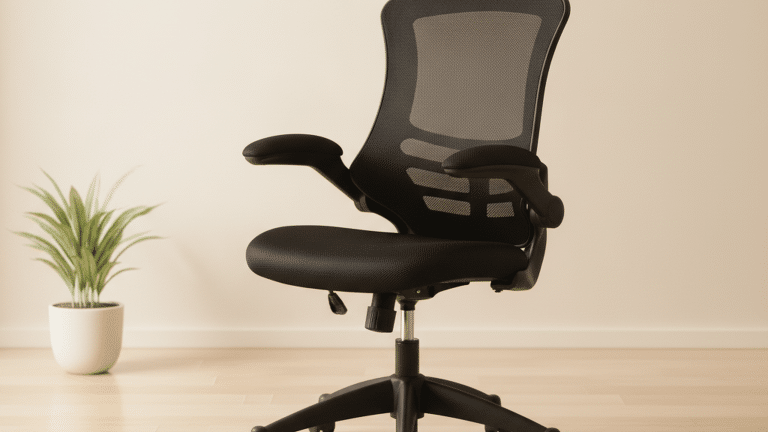
- Choose thinner cushions. Mesh-backed chairs and breathable seat cushions make long afternoons easier.
None of this replaces a working HVAC system. It does keep one person productive while the bigger fix is arranged.
Stay hydrated: the cheapest cooling tool you own
Hydration is the most overlooked item on any office cooling list.
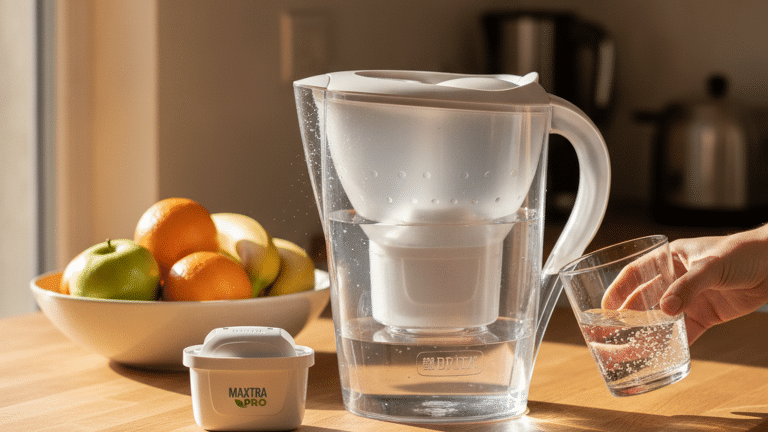
The NHS recommends aiming for 6–8 cups or glasses of fluid a day. Water, lower-fat milk, lower-sugar or sugar-free drinks – including tea and coffee – all count, and food contributes too. You need more in hot conditions or after activity. A pale yellow urine colour is the everyday check.
Make it automatic rather than aspirational:
- Keep a marked water bottle on the desk. Measurements beat guesswork.
- Refill at set points. Start of the day, mid-morning, after lunch, mid-afternoon.
- Use an app or a reminder if intake slips during busy stretches.
- Watch the water cooler. If it runs empty by 11am, the team is not drinking enough.
- Go easy on heavy meals. Large, rich lunches increase the afternoon heat-and-slump effect. Lighter meals and cool snacks work better.
- Freeze fruit. Grapes, berries and melon chunks make a refreshing desk snack.
Heat exhaustion symptoms include tiredness, dizziness, headache, nausea, heavy sweating, muscle cramps and intense thirst. Move the person somewhere cool, loosen clothing, offer cool water, cool the skin with water and fanning, and call NHS 111 if they do not improve within 30 minutes. Call 999 if you suspect heatstroke.
Sustainable office cooling: cut the heat before you cool it
The cheapest degree of cooling is the one you never have to generate. Solar shading, scheduling and sensible set points cut both temperature and energy bills.
- Close blinds and curtains on sunny windows. Light-coloured coverings reflect more heat.
- Shade from the outside where possible. External blinds, shutters and awnings block sunlight before it heats the glass – far more effective than indoor blinds alone.
- Ventilate when outside air is cooler. Early morning and evening, not mid-afternoon.
- Set cooling at 24–26°C when occupied, and higher – or off – when the floor is empty. Do not crank the thermostat down to cool faster. It does not work, and it wastes energy.
- Use fans before air conditioners. Air movement is a fraction of the running cost.
- Enable power management. Sleep settings on monitors and PCs, and switched-off equipment at the wall, remove real heat load from a room.
- Dress for the building. Layers beat a thermostat war.
- Keep heating and cooling set points apart. Systems that overlap burn energy and satisfy nobody.
Portable and split air conditioners still have a place – server cupboards, meetings rooms with no mechanical ventilation, converted spaces, and home offices. Use them as targeted tools, not as a floor-wide default.
Cooling tools that earn their place in the office
Right now is the moment to equip the space properly. Match the tool to the problem.
- Fans. Pedestal, tower and desk fans deliver local airflow all year, at very low running cost. Browse the fans range for floor, tower and desktop options.
- Air conditioners. For rooms that overheat regardless of season. See the air conditioners range – portable units for hot spots, larger capacity for meeting rooms.
- Laptop accessories. Risers, stands and cooling pads to keep devices and users comfortable. Explore laptop accessories.
igenix Pedestal Fan DF1670 16 inch White 1 Speed Settings 40 x 45.2 x 136 cm
Free next working day delivery. Free returns. Nectar and Viking One rewards on every order.
Light fabrics and moist wipes: cooling that travels with you
Personal cooling is the fastest lever you own, and it moves with you between desks, meeting rooms and home.
- Choose loose, lightweight, light-coloured clothing. Loose fit lets air circulate close to the skin.
- Prioritise linen and cotton. Breathable, natural fibres handle warm, still air far better than heavy synthetics.
- Moisture-wicking fabrics for active days. Good for commutes, site visits and anyone moving between floors.
- Keep a spare shirt or top in the office. A clean, dry layer resets comfort instantly.
- Skip tight collars and heavy ties where dress codes allow. Every layer counts.
- Keep moist wipes within arm’s reach. Cooling wipes at the desk, in a bag and in meeting rooms refresh skin and help you reset during long sessions.
- Add a small towel or microfibre cloth. Cool, damp skin plus moving air is the cheapest cooling system ever built.
What employers are expected to provide under UK workplace rules
Employees rarely need to know the regulation numbers. Managers should.
- Reasonable temperature, Regulation 7. Indoor workplaces must be a reasonable temperature during working hours, providing reasonable comfort without the need for special clothing. The HSE benchmark is normally at least 16°C, or 13°C for rigorous physical work.
- No maximum, but a duty to act. There is no statutory top limit. Employers must still take reasonable steps when conditions become uncomfortable.
- Thermometers must be provided. Staff are entitled to check the temperature.
- Effective ventilation, Regulation 6. Enclosed workplaces need an effective and suitable supply of fresh or purified air, with mechanical systems properly maintained.
- Sunlight and heat controls. Reasonable steps to reduce excessive solar gain, plus thermal insulation where needed.
- Safe heating and cooling. Equipment must not release fumes, gases or vapours that could be injurious or offensive.
- Risk assessment. Where heat or poor air quality creates a risk, the employer should assess it and put controls in place.
- Practical support for workers. HSE guidance is clear: drink plenty of water, use a fan where available, move away from direct sunlight and heat-producing equipment, take regular breaks, use blinds, and report ongoing discomfort to a manager or workplace representative.
Comfort complaints move fastest with data. A two-week log of temperature, time and room beats any amount of corridor conversation.
My take: buy the desk fan, but log the reading
A desk fan is a good purchase. It is not a strategy.
Personal tools – a pedestal fan, a laptop riser, a water bottle, a pack of cooling wipes – are cheap, immediate and entirely within your control. Use them. But if a room swings above 26°C most afternoons, or a meeting room hits 1,800 ppm CO2 every time eight people sit down, no amount of desk-level improvisation fixes the underlying problem.
Measure. Log. Escalate with numbers. That is the only route to a permanently comfortable office.
FAQ: office cooling questions
What temperature should an office be?
For most indoor work, HSE guidance points to a minimum of 16°C, or 13°C where the work involves rigorous physical effort. Comfortable office temperatures generally sit between 20°C and 24°C, with air movement and humidity taken into account.
Is there a legal maximum office temperature in the UK?
No. The Workplace (Health, Safety and Welfare) Regulations 1992 require a reasonable temperature but set no upper limit. Employers must still act when conditions become uncomfortable, and the HSE provides guidance on managing thermal comfort.
Do fans actually cool a room down?
No – they cool people. Moving air increases heat loss from the skin and helps sweat evaporate. A noticeable breeze at 27°C and 50% relative humidity can feel several degrees cooler. Fans are a low-energy first response, best used alongside shading, hydration and proper ventilation.
How do I stop a meeting room getting stuffy?
Open the door, cap the occupancy, keep meetings shorter, and check the ventilation is running. A portable CO2 monitor tells you whether the room is clearing between bookings. If readings stay above 1,500 ppm, the room needs more outdoor air, not more air freshener.
How should I raise an uncomfortable workplace temperature?
Log the readings, note the times and rooms, and send them to your manager or facilities team. Reference the HSE temperature guidance and ask for the risk assessment. Escalate through a workplace representative or union if nothing changes.
Useful sources
- HSE – Temperature in the workplace: what the law says
- HSE – How workers can keep temperatures comfortable
- HSE – Workplace (Health, Safety and Welfare) Regulations 1992: Approved Code of Practice L24
- Legislation.gov.uk – Workplace Regulations 1992, Regulation 7 (temperature)
- Legislation.gov.uk – Workplace Regulations 1992, Regulation 6 (ventilation)
- Acas – Managing hot weather at work