

Last Updated on 09/09/2026
In today’s work environment, whether in a bustling office or a home setup, ergonomics play a crucial role in maintaining productivity and comfort. An improperly adjusted office chair can lead to discomfort, fatigue, and even long-term health issues. Understanding how to adjust your office chair properly is essential for preventing these problems and enhancing your work efficiency. This guide will walk you through the necessary adjustments to ensure your chair supports your body effectively throughout the day.
Quick Tip: How Can I Instantly Improve My Chair Comfort?
Start by adjusting the height of your chair so that your feet are flat on the floor, and your knees are at a 90-degree angle. This simple adjustment can immediately improve your posture and reduce strain on your back.
Essential Adjustments for Your Office Chair
- Adjust the seat height.
- Set the backrest tilt.
- Position the armrests correctly.
- Modify the seat depth.
- Ensure proper lumbar support.
- Check the chair’s stability.
- Customize the headrest (if available).
Adjusting the Seat Height
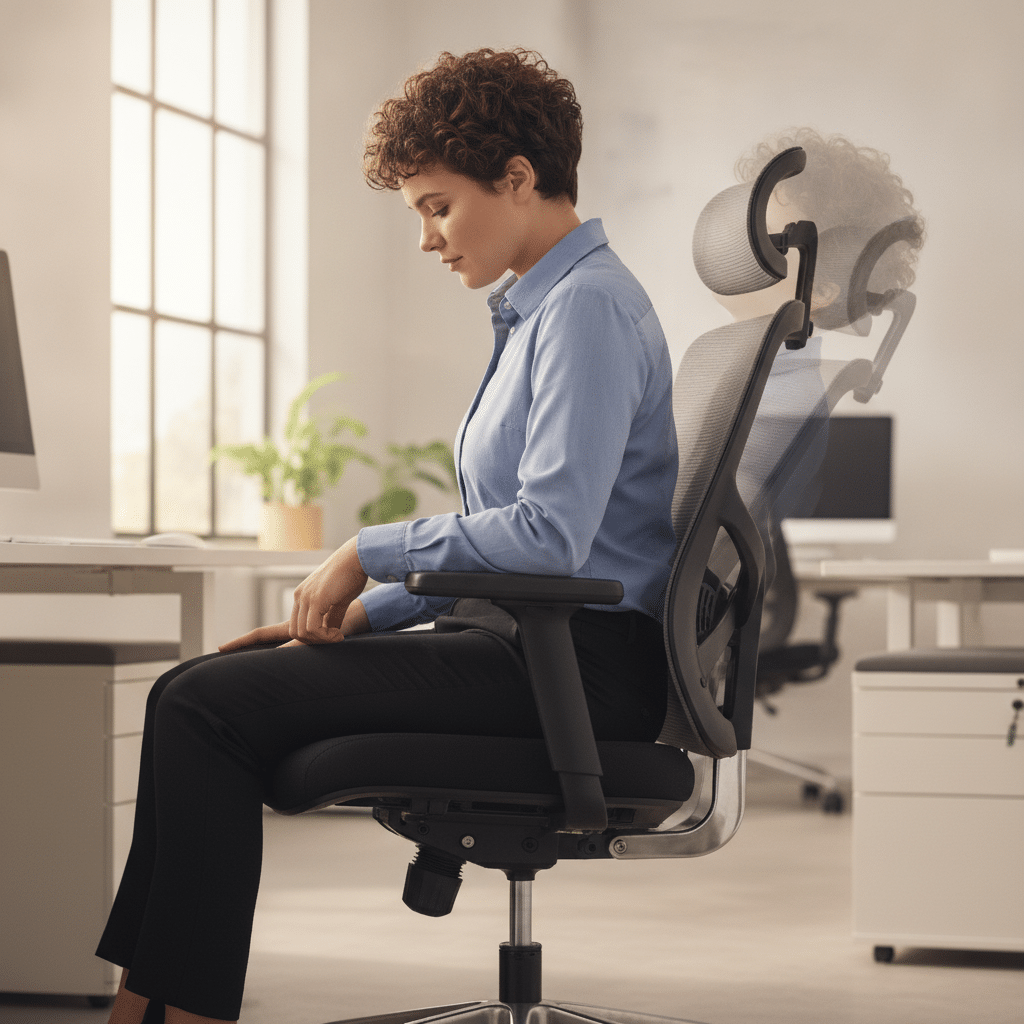
The first step in configuring your office chair is setting the seat height. Ideally, your feet should rest flat on the floor, with your knees forming a 90-degree angle. This position helps distribute your weight evenly and reduces stress on your lower back and thighs. To adjust the height, use the lever typically located beneath the seat. For more guidance, refer to Adjusting Office Chair Height. If your feet dangle, consider using a footrest for additional support.
Maintaining this height ensures that your thighs are parallel to the ground, which is crucial for maintaining proper circulation and reducing fatigue. Regularly check this setting, especially if you frequently change shoes or work surfaces, as these can affect your optimal seat height.

Nautilus Luna Design Operator Chair Basic Tilt Mesh Black 110 kg

Viking Malaga Executive Chair Basic Tilt Bonded leather Fixed Armrest Height-Adjustable Seat Black 120 kg

Viking Realspace Mosil Office Chair Basic Tilt Mesh Fixed Armrest Height-Adjustable Seat Black 120 kg

Viking Realspace Draughtsman Chair Permanent Contact Fabric Height-Adjustable Seat Black 120 kg 430 x 480 x 1,200 mm

Viking Realspace Apollo Executive Chair Basic Tilt Bonded leather Fixed Armrest Height-Adjustable Seat Black 110 kg
Setting the Backrest Tilt
The backrest tilt is crucial for supporting the natural curve of your spine. A slight recline, typically between 100 to 110 degrees, encourages a relaxed posture, reducing pressure on your spinal discs. Most chairs come with a tilt tension knob that allows you to control the resistance of the backrest.
Experiment with different tilt angles to find the most comfortable position, ensuring that your back remains well-supported throughout the day. This adjustment not only enhances comfort but also promotes better focus and energy levels by allowing you to shift positions easily.
Comparison Table of Chair Adjustments
| Adjustment | Purpose | Optimal Setting |
|---|---|---|
| Seat Height | Aligns knees and hips | Feet flat on the floor |
| Backrest Tilt | Supports natural spine curve | Slightly reclined |
| Armrest Height | Reduces shoulder strain | Elbows at a 90-degree angle |
| Seat Depth | Prevents thigh pressure | 2-3 inches from the back of knees |
| Lumbar Support | Supports lower back | Fitting snugly against the lumbar region |
Positioning the Armrests
Armrests should be adjusted to allow your elbows to rest comfortably at a 90-degree angle. This positioning helps to minimize shoulder and neck strain and encourages proper wrist alignment while typing. Adjust the armrests so they are close to your body, providing support without restricting movement.
Armrests that are too high can cause shoulder tension, while those too low may lead to slouching. Regularly assess and adjust your armrests, especially if you notice discomfort in your upper body. Proper armrest positioning is key to maintaining an ergonomic workspace.
Conclusion: The Benefits of Proper Chair Adjustment
Adjusting your office chair correctly is a simple yet effective way to enhance your comfort and productivity at work. By taking the time to configure your chair to support your body, you reduce the risk of discomfort and long-term health issues.
Remember, an ergonomic workspace is not a luxury but a necessity for maintaining your well-being. Regularly reviewing and adjusting your chair settings can lead to a more enjoyable and efficient work experience.
Frequently Asked Questions
How often should I adjust my office chair?
It’s a good practice to check your chair adjustments regularly, especially if you notice any discomfort. Changes in footwear or work surface height can also necessitate adjustments. Ideally, review your settings weekly to ensure optimal comfort.
What if my chair doesn’t have lumbar support?
If your chair lacks built-in lumbar support, consider using an external lumbar cushion. These cushions are designed to fit the natural curve of your spine, providing the necessary support to prevent lower back pain.
Can I adjust my chair if my desk is too high?
If your desk is too high, adjust your chair so your elbows are at a 90-degree angle with the desk surface. You may need a footrest to keep your feet flat on the floor. Alternatively, consider adjusting the desk height or using a keyboard tray.
Why does my chair keep sinking?
A chair that sinks often has a faulty pneumatic cylinder. This can be fixed by replacing the cylinder or using a chair repair kit. If the problem persists, it may be time to consider investing in a new chair.